
To View All Claims
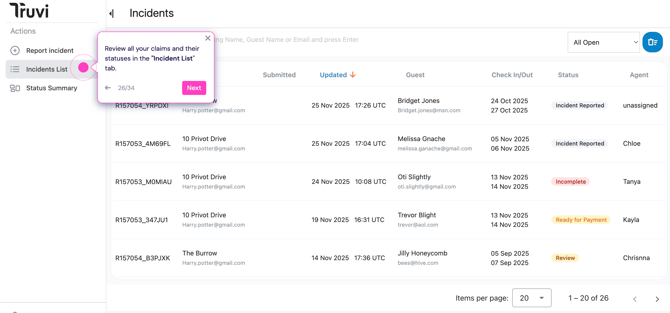
Navigate to "Incidents List" to see all your submitted reports.
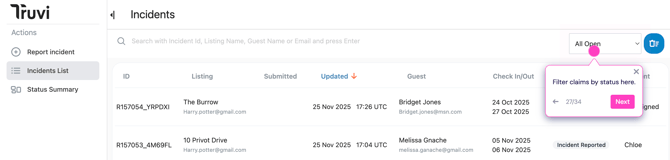
Filter by status: Use the dropdown to view claims by their current status (Open, Closed, Pending, etc.)
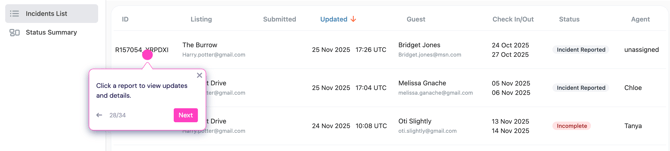
Click any report to view updates and details.
Track Your Claim Progress
Click on a specific claim to see:
Overview: Summary of your report and all submitted evidence

"Comments" tab: Here you can message your resolution manager directly and upload additional information if requested.
Tip: This is the fastest way to get updates and communicate about your claim.
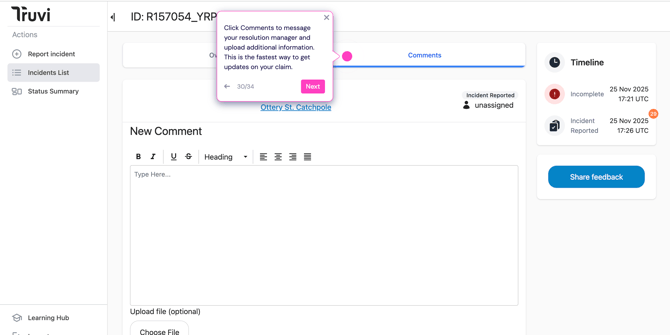
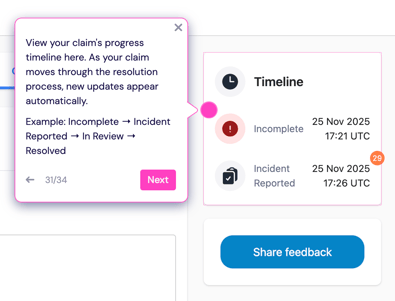
Timeline: Track your claim's progress through each stage:
- Incomplete → Incident Reported → Under Review → Resolved
New timeline updates appear automatically here as your claim progresses.
Status Summary Dashboard
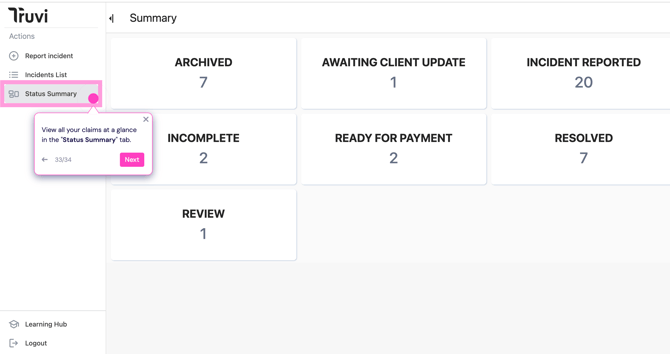
Navigate to "Status Summary" for a quick overview of all your claims organized by status.
- Archived
- Awaiting Client Update
- Incident Reported
- Incomplete
- Ready for Payment
- Resolved
- Review
What Happens Next?
Within 3 business days: Our Resolutions Team will review your claim and may reach out via Comments if additional information is needed.
Within 30 days: Once all evidence is received, we'll make a settlement decision.
Payment: Settlements are paid within 3-5 business days of receiving your bank details.
Note: Outstanding invoices on your account may delay payouts.