
How it works
When a booking is created through your platform, Truvi generates a unique verification ID tied to that specific booking. You store this verification ID and generate a unique link incorporating this ID when one of your customers needs to submit an incident report.
What your customer experience
-
They receive a submission link from you (however you choose to share it)
-
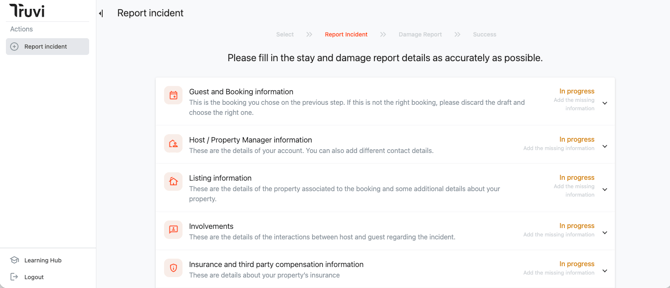
They click it and land on a pre-filled incident form
-
They complete only the incident-specific details
For a full walkthrough of what your clients need to submit during the incident process, see our Incident Submission Requirements.
-
They submit — and Truvi handles the rest
If your customer start filling it in and need to come back later, the link still works and their progress is saved.
What this means for you
You stay in control of when and how the link is shared. Truvi stays somewhat invisible to your customer — the experience feels like part of your platform, not a third-party detour.
📖 More resources:
➡️ Partner Guide: How the Screen & Protect API Incident Process Works
➡️ Partner Guide: Screen & Protect API – What's Protected?
➡️ Partner Guide: Screen & Protect API Incident Submission Requirements & Customer Copy